LEARN VISUAL EFFECTS IN 30 DAYS OR LESS
Create mind-blowing, scroll-stopping visuals using Adobe After Effects, Photoshop, Premiere Pro, and powerful AI tools — all explained in a clear, beginner-friendly way.
This isn’t just a course — it’s your roadmap to becoming a next-gen visual creator who blends cinematic effects with AI-driven creativity to dominate every platform.
👉 Learn. Create. Go Viral.

Tutorials are scattered everywhere. This course gives you one structured path from beginner to creator — no confusion, no wasted time

Forget $500 courses that give you
theory and no results. This is affordable, practical, and proven — using only your existing gear and software

You won’t just watch — you’ll build, and edit real projects step-by-step. Every module includes hands-on lessons, and assets so you can apply what you learn instantly.


Numbers That Speak For Themselves
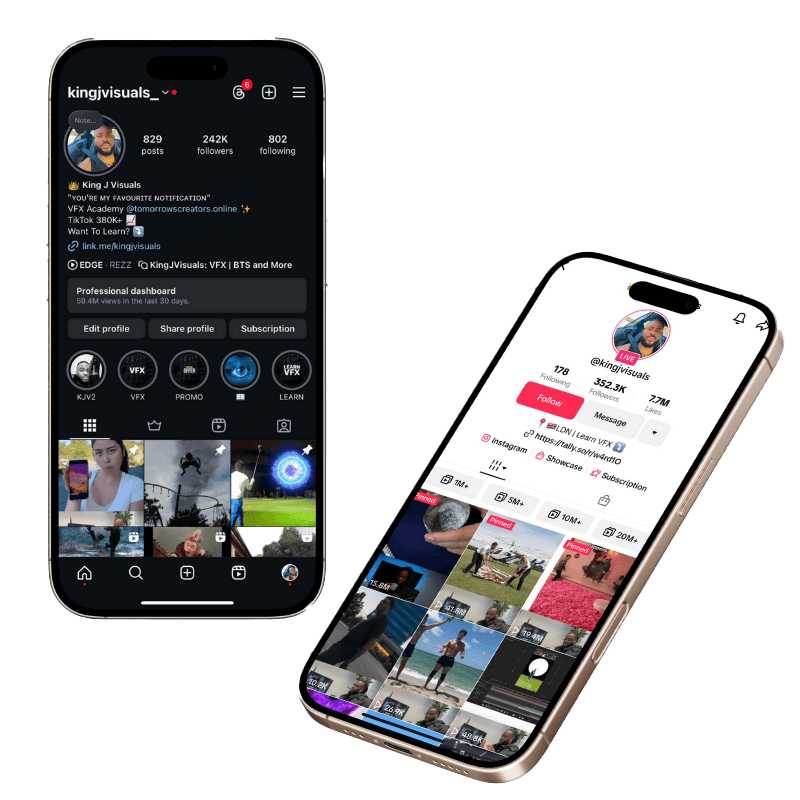
@kingjvisuals on Instagram grew to 250K+ followers with over 100 million engagements.
On TikTok, Justice reached 300K followers and half a billion views in just months — using the same principles taught in this course.
No expensive gear. No film crew. Just smart content and VFX mastery.
What You'll Learn?
The Creator Foundation
Understand the mindset and workflow of viral VFX creators
Learn the creative formula behind high-retention videos
Get introduced to AI-powered tools that save hours in editing
Adobe Premiere Pro Essentials + AI Workflow
Learn smooth editing, transitions, and sound syncing
Integrate AI captioning and automated scene cutting
Build short-form edits for TikTok, YouTube Shorts, and Reels
Adobe Photoshop for VFX Artists
Create stunning matte paintings and assets
Remove backgrounds, fix lighting, and generate elements with AI
Blend real and digital worlds seamlessly using layer compositing
Adobe After Effects (The Magic Zone)
Master tracking, rotoscoping, motion graphics, and particles
Combine stock effects and AI-generated visuals into dynamic scenes
Learn camera movement, masking, and keyframe animation like a pro
AI x VFX (Next-Gen Techniques)
Learn how to use AI tools like Runway ML, Sora 2, and ChatGPT to enhance VFX workflows
Automate asset generation, scene planning, and creative storyboarding
Use AI for rotoscoping, object removal, and realistic motion creation
Recreate My Viral Edits (Continuous Updates)
Follow step-by-step recreations of Justice’s most viral effects
Access new projects and breakdowns added monthly
Learn the storytelling logic behind each effect and why it worked
Modules
Unlock the foundations of pro-level editing and learn how AI can speed up your workflow.
Module 1: Getting Started
Get familiar with Premiere Pro’s workspace, tools, and layout. Learn how AI-assisted plugins and automated tools can cut your editing time in half.
Module 2: Importing and Organizing Media
Master professional media management, smart bins, metadata, and AI-powered auto-organization tools used by modern editors.
Module 3: Basic Editing Techniques
Cut, trim, rearrange, and shape your story using clean timelines and efficient shortcuts. Learn how AI tools help you find the perfect takes faster.
Module 4: Working with Audio
Clean and enhance audio using native features + AI noise removal, auto-ducking, and voice enhancement.
Module 5: Adding Transitions and Effects
Create smooth transitions, apply cinematic effects, and explore AI-generated transitions for faster editing.
Module 6: Color Correction and Grading
Learn color theory, grading basics, and how AI color-matching tools can help build a consistent visual style.
Module 7: Titles and Graphics
Create bold titles, lower thirds, and graphic animations — and learn how to use AI-assisted captioning for faster content creation.
Module 8: Exporting Your Project
Export for TikTok, YouTube, Instagram, and professional delivery. Learn ideal settings for every platform + AI upscaling workflows.
Module 9: Advanced Editing Techniques
Speed ramping, multi-cam editing, AI-assisted editing tools, advanced transitions, and viral short-form pacing strategies.
Turn Photoshop into your VFX asset creation machine.
Module 1: Getting Started with Photoshop
Understand layers, tools, brushes, masks, and the essential interface for digital VFX creation.
Module 2: Mastering the Basics
Selections, refinements, blending, and cleanups — plus AI-powered background removal and generative fills.
Module 3: Photoshop for VFX Compositing
Create dramatic skies, explosions, props, matte paintings, and digital illusions. Learn how AI tools like Generative Fill can speed up complex composites.
Module 4: Integrating Photoshop with After Effects
Export layered PSDs, animate assets, and build full scenes by blending Photoshop and After Effects for advanced VFX workflows.
Your complete pathway from beginner to pro-level VFX artist — now enhanced with AI workflows.
Module 1: Understanding After Effects UI Panels
Navigate the interface confidently and learn how to set up a professional workspace.
Module 2: Importing Media
Organize and label assets for efficient VFX workflows.
Module 3: Composition Settings
Learn framerates, resolution, and project organization for cinematic visuals.
Module 4: Organizing Layers: Color Labels & Naming
Master clean, industry-standard layer management.
Module 5: Precompositions & Nesting
Build advanced scenes using precomps and nested animations.
Module 6: Masks and Masking Techniques
Shape, cut, and isolate your visuals using precise masking + AI-powered masking tools.
Module 7: Blend Modes
Learn how to create realistic composite visuals using professional blend mode techniques.
Module 8: Adjustment Layers
Enhance global effects, color, and animation using adjustment layers.
Module 9: Text Animation & Typographic Design
Create kinetic typography, animated captions, and trending text effects.
Module 10: Shape Layers & Vector Animation
Build clean vectors, motion graphics, and animated icons.
Module 11: Parenting & Null Objects
Link animations, control complex scenes, and master motion stabilization.
Module 12: Sky Keying Techniques
Replace skies and create dramatic environments.
Module 13: Green Screen Keying
Professional keying with Keylight + AI-assisted keying workflows.
Module 14: Types of Tracking
Master 2D tracking, 3D tracking, and AI-powered motion tracking.
Module 15: Speedramping & Motion Blur
Create smooth, cinematic transitions and viral edits.
Module 16: Scripting for Workflow Efficiency
Automate tedious tasks with scripts and expressions.
Module 17: Graph Editor for Fine-Tuning Animations
Unlock buttery-smooth animation curves used by pro animators.
Module 18: Handling 3D Space & Cameras
Create depth, camera movement, parallax, and realistic 3D scenes.
Module 19: Lights & Shadows
Build dynamic lighting for cinematic visuals.
Module 20: Advanced Rotoscoping Techniques
Manual rotoscoping, refined edges, and AI-powered roto workflows.
Module 21: Stabilizing Shaky Footage
Fix unstable clips using advanced stabilization + AI stabilization tools.
Module 22: Color Correction & Grading
Achieve professional color styles and mood-driven visuals.
Module 23: Animating with the Puppet Tool
Bring characters, limbs, and objects to life.
Module 24: Sound & Audio Editing
Add atmosphere, sync sound effects, and improve pacing.
Module 25: Rendering & Export Settings
Optimize render settings for YouTube, TikTok, Reels, and cinema-quality output.
Unlock the Power of Evergreen Learning
Gain exclusive access to a growing library of viral VFX breakdowns, AI-enhanced edits, and seasonal trend-based tutorials.
You’ll learn:
The exact transitions Justice used to go viral
His storytelling technique for high retention
How to recreate effects using both VFX and AI
The logic behind why certain edits perform extremely well
How to adapt effects for short-form formats (TikTok, Reels, Shorts)
➡️ New projects added regularly so you always stay ahead of the crowd.


Who This Course Is For
You’re ready to level up and take content seriously
You want to create visuals that stop the scroll instantly
You value results over random tutorials
You’re building your brand, business, or creative career
You want to learn both traditional VFX and modern AI tools
Who It’s Not For
You prefer guesswork over guided learning
You’re satisfied with average results
You don’t want to invest effort into real creative growth

MEET YOUR INSTRUCTOR
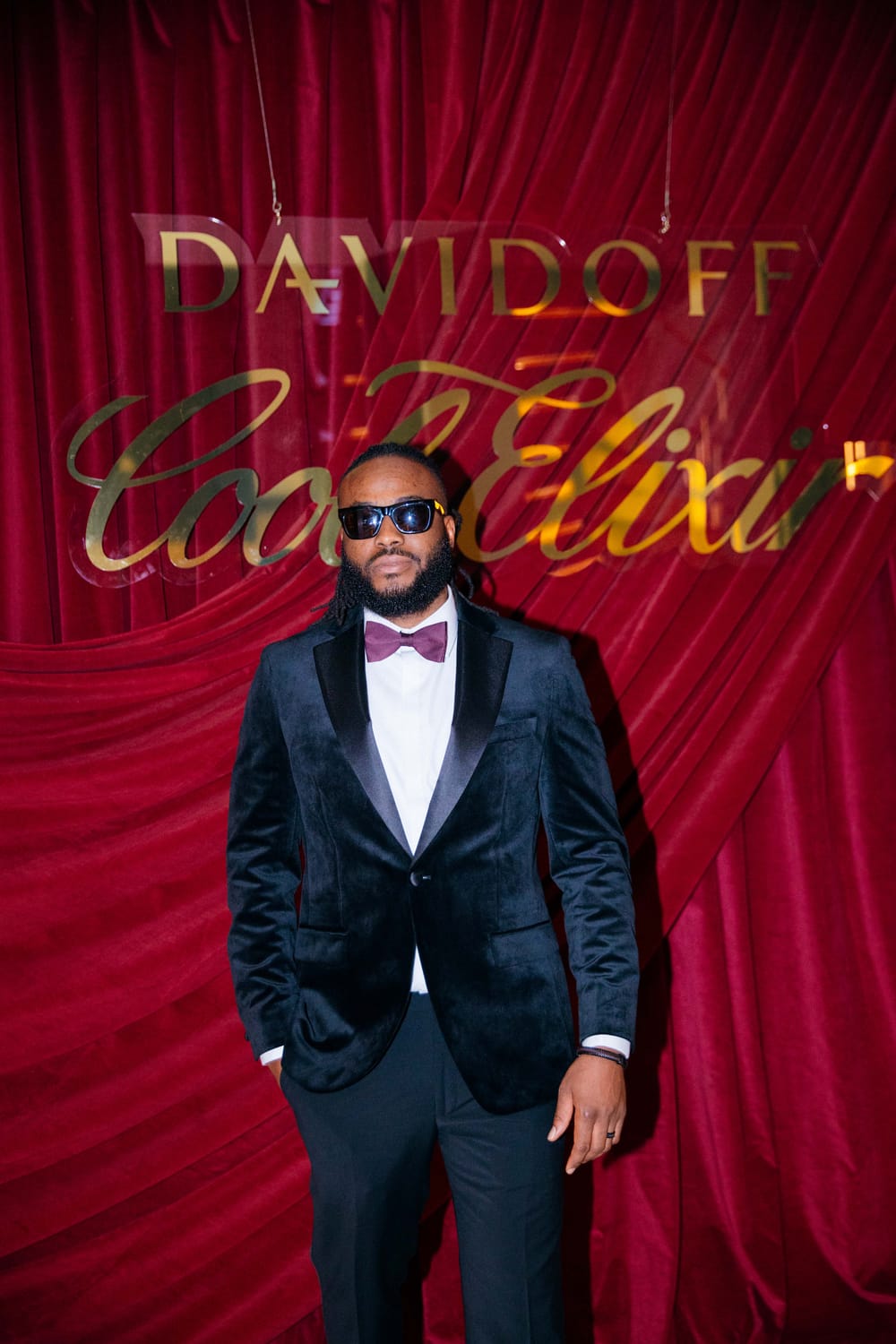
— Justice John (King J Visuals)
Justice John is a London-based Digital Creator and VFX Artist with over a decade of editing experience.
He has worked with brands like Microsoft and HPE, earned an Adobe endorsement, and won Best Music Video at the 2022 Africans in Diaspora Music Awards.
With mastery in After Effects, Photoshop, Premiere Pro, DaVinci Resolve, and CapCut, Justice combines traditional creativity with cutting-edge AI to push what’s possible in modern content creation.
His mission? To help creators learn faster, create smarter, and go viral.
GET STARTED
PREVIEW
£0
FREE
Try a free limited lesson before you dive in.
→ Watch instantly and experience the course style.
Limited tutorial
Learn more
STANDALONE
£96
Master the full Visual Effects Video Creator course

Lifetime Access! Revisit the program whenever you feel like it
Practice Clips: Editable footage for hands-on learning
Full VFX + AI course
Full Access to Visual effects Video Creator Course
Instructor Q&A sessions
Private Community access
Bonus 1: Resources + Assets
Bonus 2: Ebooks (social growth)
Certificate of Completion once you've finished
E-Mail Support Service Dedicated email support for course-related questions and guidance
BUNDLE
£130
Enjoy unlimited bundle access, exclusive content, and premium features for an enhanced learning experience

Lifetime Access! Revisit the program whenever you feel like it
Full VFX + AI Creator course
Full Access to Visual effects Video Creator Course
Instructor Q&A sessions
Private Community access
Bonus 1: Resources + Assets
Bonus 2: Ebooks (social growth)
Certificate of Completion once you've finished
E-Mail Support Service Dedicated email support for course-related questions and guidance
❓FAQs
The course is designed for both beginners and those looking to expand their current skill set in video editing VFX
Access is granted immediately. Once your payment is processed, you'll receive an email with your login details, allowing you to join the platform, explore the content, and connect with the community right away!
You get lifetime access to all content, including future updates and additions. Watch at your own pace, revisit lessons anytime, and stay up-to-date with new techniques as they emerge.
We want you to love what you get. That’s why you can watch a free preview before buying. Because this is a digital product with instant access, we can’t offer refunds — so be sure it’s the right fit for you. We’re confident you’ll see the value right away.
Choose your payment style — one-time or split in two!
Option 1: Make a one-time payment and get lifetime access to every lesson in the course.
Option 2: Prefer flexibility? Choose the 2-part installment plan — split your payment into two easy installments while still enjoying full lifetime access.
No hidden fees. No recurring subscriptions. Just a one-time investment in your creative growth.
All courses are conducted in English, both the instruction and the program language. You also have the option to enable English subtitles.
The course will primarily focus on After Effects, Premiere Pro and Photoshop
Absolutely! We are committed to keeping you up to date by regularly adding fresh content. There’s already a lot of exciting material in the works that we can’t wait to share. We also want to tailor the content to your needs, so we’ll collaborate with you to decide on the next tutorials, ensuring you get the most value from the course.
Minimum Requirements (to run Adobe Apps)
Operating System: Windows 10 (64-bit) version 22H2 or later
Processor: Intel Core i5 or AMD equivalent with 4 cores or more
RAM: 8 GB (16 GB recommended for HD media)
GPU: 2 GB of VRAM (NVIDIA, AMD, or Intel GPU with DirectX 12 support)
Storage: 15 GB of available hard-disk space; SSD recommended for app installation
Display Resolution: 1280x1080 or higher
Internet: Required for initial activation and some features.
Recommended (Maximum Performance)
For seamless performance and handling complex projects:
Operating System: Windows 11 (64-bit) or Windows 10 version 22H2 (or newer)
Processor: Intel Core i7/i9, AMD Ryzen 7/9, or Apple Silicon (M1/M2 Ultra for Mac)
RAM: 32 GB or higher (64 GB for heavy 3D/VFX workflows)
GPU: NVIDIA RTX 30/40 Series, AMD Radeon RX 6000/7000 Series with 8 GB or more VRAM
Storage: 1 TB SSD for OS and After Effects installation
Additional 2 TB SSD for project files and cache
Display Resolution: 1920x1080 (Full HD) minimum; 4K or higher for advanced workflows.
Cooling System: Efficient cooling system for high-performance CPUs/GPUs during long renders.
Power Supply Unit (PSU): At least 750W, depending on your GPU.
Send us your questions at support@tomorrowscreators.net and we will be happy to answer them!
Yes, we do! If you're excited about sharing our masterclass, our referral program lets you earn a 30% commission for every new signup you bring in. It's a fantastic way to help others discover this opportunity and benefit from it too. Join, share, and start earning!

SUBSCRIBE FOR EXCLUSIVE DISCOUNTS & FREEBIES
Your email address is safe with us .We never share your information with anyone
© Tomorrow's Creators By KingJVisuals — All rights reserved. Terms and Conditions, Privacy Policy, Earnings Disclaimer This site is not a part of the Facebook website or Facebook Inc. Additionally, This site is NOT endorsed by Facebook in any way. FACEBOOK is a trademark of FACEBOOK, Inc.
DISCLAIMER: The sales figures stated on this landing page and discussed in the Tomorrow's Creators program are our personal sales figures and in some cases the sales figures of previous or existing clients. Please understand these results are not typical. We’re not implying you’ll duplicate them (or do anything for that matter). The average person who buys “how to” information gets little to no results. We’re using these references for example purposes only. Your results will vary and depend on many factors including but not limited to your background, experience, and work ethic. All business entails risk as well as massive and consistent effort and action. If you’re not willing to accept that, please DO NOT PURCHASE THE TOMORROW'S CREATORS COURSE.
SIGN UP TO GET ACCESS TO
Exclusive Discounts, Contests & Giveaways
We HATE spam. Your email address is 100% secure